Attempting a painting-over-plaster look with new textures I created in Kim Klassen's e-course. Original photo (taken on a misty day) was very washed out and boring... a perfect candidate for doctoring up in Photoshop!
But greys are oh so hard for this color girl - definitely out of my comfort zone!
Visit my Web Site for Shop, Gallery and Color Consultation
Visit my Etsy SHOP
Visit my Etsy Shop for Paintings, Books, Felted Scarves, Beading Instructions... and more!
Artful Color For Creative Projects
eBook Full of Color Inspiration
Beaded Colorways: Creating Freeform Beadweaving Projects and Palettes
Order a signed copy
EYE FOR COLOR:
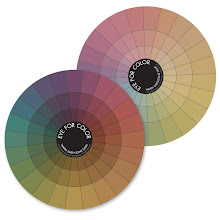
Two color wheels and 6 snap together templates to help you create your own gorgeous color combinations!
Earthtone Color Wheels
Enhance your color palettes with the rich tones in these Earthtone Color Wheel sets designed to snap into the original Eye For Color System. Now 6 luscious color wheels in the Eye For Color family!
create, teach, play with color, beadweave, make bead soups, walk on the beach, hang out with friends, read by the fire with my family, buy arts & crafts books, eat chocolate


 Tacoma Narrows Bridge, 1950
 Dad and Carl, 1951


 Thought I play with a soft, teal light, layered with a faint antique panel with 1940's linoleum design.